If an adjuster points to a hard-braking flag or an app score after a Fort Wayne collision, start with the record—not a guess about what it means. This guide is about insurance driving apps and usage-based tracking programs. Our Fort Wayne car accident guide covers the broader injury-claim process.
Key takeaways
- Ask whether the disputed item is a premium score, a trip event, or a specific explanation of the collision.
- Save the original trip details before making corrections or adding notes.
- Check the driver, vehicle, date, time, and meaning of each label.
- Compare the app record with photographs, video, and witness information.
- Use written questions to identify exactly what is disputed.
What can an insurance driving app record?
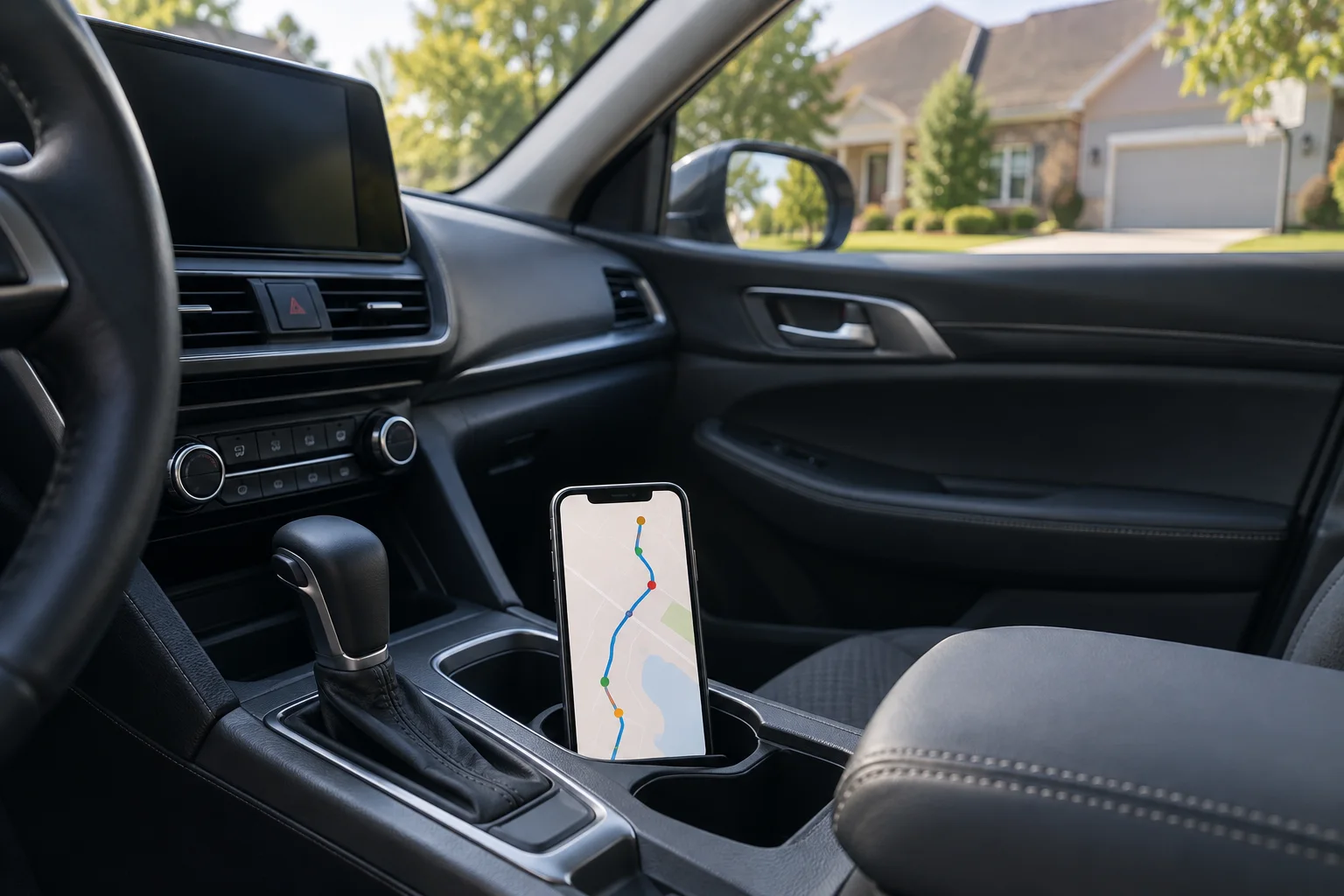
Usage-based insurance uses driving information to help determine a premium. Depending on the program and technology, a mobile app or device may track trip location, mileage, time of day, rapid acceleration, hard braking, or hard cornering. The official usage-based insurance overview[1] describes these categories and recommends asking exactly what a particular program monitors. Its technology explanation is useful here; its Washington setting does not establish Indiana legal rules.
Identify whether the record came from a phone app, a plug-in device, or a connected-car service. Start by identifying the product’s name and the device that generated the disputed item. Save the enrollment information and the version of the program terms available to you. A screenshot of a score is a starting point, not a description of the complete system.
This is a different question from preserving a vehicle’s crash recorder. If someone is discussing a vehicle download rather than a driving app, see our separate guide to passenger-vehicle black boxes and EDR records. Keep the requests for those two sources separate.

Separate premium scoring from the explanation of a crash
The regulator’s guide explains that driving data can help set premiums and separately recommends asking about its use in accident claims. Those are different questions. A useful written request is: “Are you referring to my overall driving score, a particular trip event, or information about this collision?”
Illustrative example: Imagine a driver brakes sharply when another vehicle enters the lane. A display labeled “hard braking” identifies the event being discussed, but that label alone does not describe the vehicle entering the lane. The next questions are what happened immediately before the braking, where the cars were, and what other records show. This example is not a finding about any actual crash.
The same discipline applies when the record seems favorable. A good overall score is not a substitute for documenting the particular collision. Avoid overstating either a negative flag or a positive score.
| App summary: what you are shown and what to ask next |
|---|
| Overall driving score Which trip and event are relevant to this collision? |
| Hard-braking marker What happened before that marker, and what does the label measure? |
| Mapped trip Does it match the vehicle, route, date, and person driving? |
| Phone-use label What activity does that program count, and whose phone was it? |
| Short event screenshot Is there an original export, fuller trip view, or explanation of the display? |
Check the person, vehicle, timestamp, and context
Before arguing about a label, make a short comparison sheet. Put the displayed information in one column and your own observations in another. Mark uncertainties as uncertainties. Do not change your account of the crash simply to make it fit the app.
- Person: Who was driving? Who carried the phone? If you were a passenger, note that and identify any supporting trip information.
- Vehicle: Does the record identify the car involved, another household car, or no vehicle at all?
- Time: Save the date and time as displayed. Ask which time zone the report uses before comparing it to another source.
- Route: Does the displayed trip match the location and direction you remember?
- Label: Ask for the program’s definition instead of assuming that “phone use,” “braking,” or another flag means a particular act.
- Completeness: Ask whether you are seeing a complete trip, a selected event, or a summary.
These are verification questions, not a claim that a particular app is defective. If you think a trip was assigned incorrectly, save the original display and your explanation before using a correction feature. Record what changed and when; do not overwrite the history you are trying to explain.

For a Fort Wayne crash near a signal or marked crossing, useful context may include the intersection name, direction of travel, lane, and what you personally observed. Keep a witness’s account distinct from your own. If video exists, our dashcam evidence guide addresses that separate source. Do not assume an app supplies video, a signal phase, or a view of another car.

What should you preserve before changing an app or device?
The Indiana Department of Insurance’s claim tips[2] recommend keeping copies of correspondence and notes of calls, including who spoke, when, and what was said. Apply that organizational approach to the app dispute. The following is a practical recordkeeping checklist, not a technical extraction procedure or a fixed legal retention period.
- Capture the visible record. Save the trip overview, relevant event screens, dates, times, and any available explanation of the labels.
- Keep available original exports. If the service offers a download, keep the downloaded file unchanged. Make a separate working copy for highlights or comments.
- Save the program documents. Keep enrollment confirmations, the available terms and privacy notice, and messages about changes to the program.
- Record the device details. Note the phone or device, app name, and visible version information. Keep account identifiers private.
- Keep an explanation log. Note when you obtained each item, any requested correction, and the response.
- Ask about records not visible to you. Identify the specific trip and ask the program operator what additional records exist and how they can be preserved or requested.
A screenshot may not contain everything available elsewhere. Do not assume deleting an app deletes remotely held information, or that an export includes every underlying record. Before resetting, replacing, or disposing of a potentially relevant device, discuss preservation with counsel. Do not access another person’s account or share passwords to obtain a trip record.

What should you ask when an adjuster relies on telematics?
IDOI recommends asking about disputed policy language and, if a disagreement leads to denial, obtaining a written explanation identifying the reason and the policy language relied on. See its written-explanation guidance[2]. For an app-data dispute, the following questions help make the discussion specific:
- Which trip, timestamp, device, and data item are you relying on?
- Can you provide the record you reviewed and explain each relevant label?
- Is the issue the identity of the driver, the description of the crash, or the terms of my policy?
- Are you using an overall score or an event from the actual trip?
- What other information did you compare with that event?
- What program terms or policy wording are you relying on?
- How should I submit supporting information or request correction of a disputed record?
First identify whether you are speaking with your own carrier or the other driver’s carrier. Do not assume the same contract applies to both conversations. IDOI describes your policy as the contract with your insurance company and advises reviewing what it says. Keep the app enrollment terms and the auto policy available for that review.
Give accurate information, preserve copies, and avoid guessing. IDOI also recommends prompt claim reporting and complete, correct information. If a request seems broader than the trip at issue, seek advice about its scope rather than silently ignoring it. For a denial beyond the app-data question, use our separate guide to what to do after an Indiana car accident claim is denied.
When can the Indiana Department of Insurance help?
IDOI tells consumers to contact the company, agent, or broker first. If the response is unsatisfactory, its consumer complaint process[3] accepts supporting documentation such as policy pages, denial letters, and correspondence. Send copies, not your only original records. IDOI notes that the complaint is shared with the company and becomes a public record, so follow the agency’s instructions and do not include passwords or unnecessary private material.
The agency can obtain explanations and review compliance within its authority, but it cannot act as your lawyer or intervene for you in a pending lawsuit. Its can-and-cannot-do guidance[4] explains those limits. A complaint is a channel for review—not a promise of a particular payment or outcome.
Frequently asked questions
Is my driving-discount app used only for discounts?
Do not assume that. Review the particular program’s terms and ask how the information is used. The official telematics guide specifically suggests asking about use of the data to settle a claim after an accident.
What if I was a passenger on the recorded trip?
Save the original record, note who was driving, and gather information supporting your explanation. Ask how that program identifies the driver and how to submit a correction without losing the original display.
Should I delete the app if I disagree with its data?
Preserve the relevant records first and discuss changes with counsel. Deleting the app is not a substitute for documenting the disagreement or asking what information is stored elsewhere.
Does a hard-braking flag explain why the collision happened?
Not on its own. Identify what the label means, when it occurred, and what other records show about the surrounding event. A label and an explanation are different things.
Prepare a focused packet for a Fort Wayne case review
Bring the original trip copies, your separate notes, the policy and program documents, correspondence, and the photographs or video you already have. A short list of the disputed points is more useful than an unsupported statement that the entire app is wrong.

If you were hurt in a crash and app data has become an issue, Chad Delventhal can discuss the trip record and the questions it raises in your situation. Contact Delventhal Law Office to arrange a private case review. Do not post sensitive records or account credentials in public comments.
This article is general information about Indiana law and is not legal advice. Reading it does not create an attorney-client relationship, and neither does contacting us.